GPS-RTK experiments: precision and stability
This section details how to capture the data and reproduce the results obtained, as presented in the thesis of this research project. To consult the results of this section, we invite you to read our published article, which can also be found in our list of published works in the section Citations and references.
A video illustrating the movement of the plate with the 4 GNSS receivers, to form a displacement representing a square, is available on this YouTube link.
Warning
The tests were carried out in a preliminary phase of the project, so the format of the SatMsgRcv message provided by the gps_msg_pckg package is different. The old format should be recovered with the file that we provide codes/bag_files/experiments_board_4_gps/SatMsgRcv.msg, then overwritten with the current format contained in our gps_msg_pckg package, which is the file gps_msg_pckg/msg/SatMsgRcv.msg. Remember to keep a copy of the overwritten format. If this procedure is not followed using the appropriate format, it will not be possible to read the topics.
Experimentation procedure
All codes are contained in the package associated with these experiments: codes/src/experiments_board_4_gps_pckg. We can now launch the various parts of the program, from data acquisition from the 4 GPS units, to distance calculation and 3D display. Everything is configurable and executable via the launch file experiments_board_4_gps_pckg/launch/square4gps.launch.py. The file is set by default to perform only calculations and 3D display via RViz2. You therefore need to launch a separate bag file and RQt for curve plotting.
Data retrieval from the 4 GPS units is carried out using gps_talker nodes from the gps_rtk_pckg package, used in our launch file. The node graph of recorded topics is illustrated below. And for 3D visualization using RViz, we use our display_rviz2_pckg package.
Note
The map in RViz2 may not be displayed directly, after just a few seconds, because in the launch file we’ve specified that we’re using the GPS in the bottom left corner to calibrate the map’s position, and this must be in fixed solution to start displaying the map.
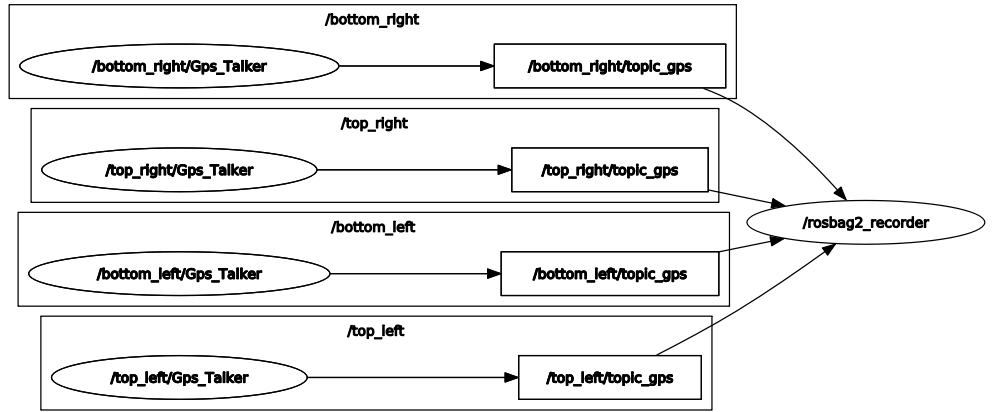
Node graph recording real-time data from 4 RTK GPS.
Once we have the various topics containing the position of GNSS receivers, we want to calculate the 3D Euclidean distance between 2 antennas. We’ve created a calculate_distance_gps.py node that allows you to subscribe to any two topics and then publish a topic based on the distance obtained.
Here’s the graph of the ROS 2 nodes in the system, enabling curves to be plotted and results to be displayed in 3D in RViz 2.
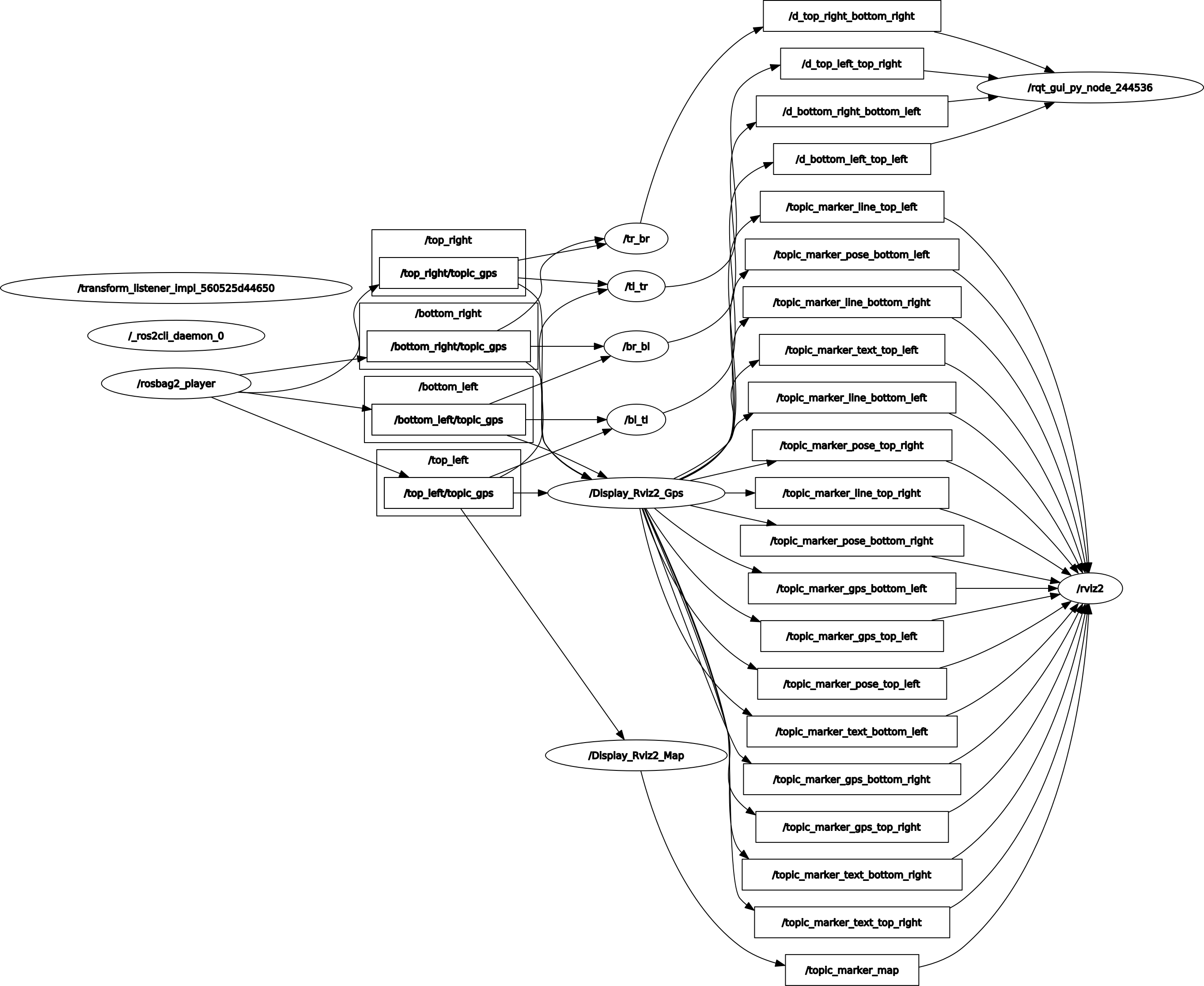
Node graph for replaying data, calculating distances and displaying in RViz2.
Registered bag files
To find out how to save your data with ROS 2, we recommend that you first read the section on Recording and replaying data with ROS 2.
Several experiments have been carried out, and each bag file corresponds to a situation. They are stored in the codes/bag_files/experiments_board_4_gps folder.
rosbag2_2022_11_08-17_11_34_no_motion: board on the ground, no motion, no disruptions.rosbag2_2022_11_08-17_14_57_no_motion_with_disruptions: board on the ground, no motion, with disruptions.rosbag2_2022_11_08-17_23_08_rotations: move the board, turning in the two directions.rosbag2_2022_11_08-17_24_30_straight_line: goes forward for several meters, tracing the first side of a square.rosbag2_2022_11_08-17_26_21_square: moves to form the 3 sides of our square, over several meters.
Codes used
We use the calculate_dist_gps node from the experiments_board_4_gps_pckg package:
- class CalculateDistGps
Bases:
rclpy.node.NodeClass of calculate_dist_gps node.
Initialization
Constructor taking as dynamic parameters ROS 2 the two GPS names for distance estimation.
- Parameters:
first_gps (str) – [ROS 2 param] Name of first GPS, defaults to ‘first_gps’
second_gps (str) – [ROS 2 param] Name of second GPS, defaults to ‘second_gps’
- multi_subsc(first_gps_msg, second_gps_msg)
Multiple subscriber with two topics (SatMsgRcv type) and approximate time synchronization, and publish the result (float type).